
Download Coolcam – Free Game Recording Software for Windows & Mac | 4K UHD Screen Capture Tool
Coolcam is a powerful, user-friendly game recording software designed for gamers and content creators who demand high-quality screen captures. Developed by Aipai Network Technology Co. Ltd, Coolcam enables seamless recording of 2D and 3D games in stunning 4K UHD resolution.
Whether you're streaming gameplay, creating tutorials, or archiving epic moments, Coolcam delivers crisp visuals and clear audio with support for microphone input, webcam footage, and system sounds. The software supports flexible recording modes—record everything at once or capture screen and audio separately. Advanced scheduling features let you automate recordings to start at specific times or set time limits, perfect for capturing live events or long gameplay sessions without manual intervention.
With intuitive controls and minimal performance impact, Coolcam is a reliable tool for both beginners and experienced users. Download Coolcam today and elevate your gaming content with professional-grade recording capabilities.
Advanced Recording Features for Gamers and Creators
One of Coolcam’s standout strengths lies in its comprehensive feature set tailored for modern content creation. The software excels in delivering 4K UHD video quality, ensuring that every pixel of your gameplay shines with clarity and detail. Whether you're recording fast-paced action games or visually rich RPGs, Coolcam maintains smooth frame rates without compromising on resolution.
This makes it ideal for YouTubers, Twitch streamers, and social media content creators who want their videos to stand out in a crowded digital space. The app supports simultaneous recording of multiple sources—screen, microphone, webcam, and system audio—allowing you to create layered, professional-quality videos. For example, you can show your gameplay while overlaying your face via webcam and adding commentary through your mic, all in one seamless recording.
Coolcam also offers customizable recording settings, including frame rate selection (up to 60fps), bitrate adjustment, and output format options (MP4, AVI, MOV). This level of control gives users the flexibility to balance file size and quality based on their needs. The built-in scheduler is another game-changer, letting you set recordings to start automatically at a specific date and time—perfect for capturing live tournaments, timed game events, or overnight gameplay sessions. You can even set a maximum recording duration to prevent endless files. These features make Coolcam more than just a screen recorder; it’s a smart, automated content creation assistant that works around your schedule, not the other way around.
Additionally, Coolcam integrates smoothly with popular platforms. Once your recording is complete, you can quickly export and upload your video directly to YouTube, Twitch, or social media with minimal steps. The software also includes a lightweight media player for previewing clips before editing or sharing. With these advanced tools, Coolcam stands out as a complete solution for anyone serious about game content creation.
Easy Installation, Intuitive Interface, and Cross-Platform Support
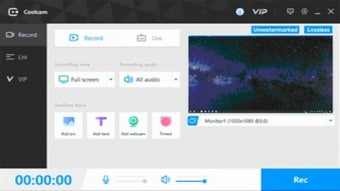
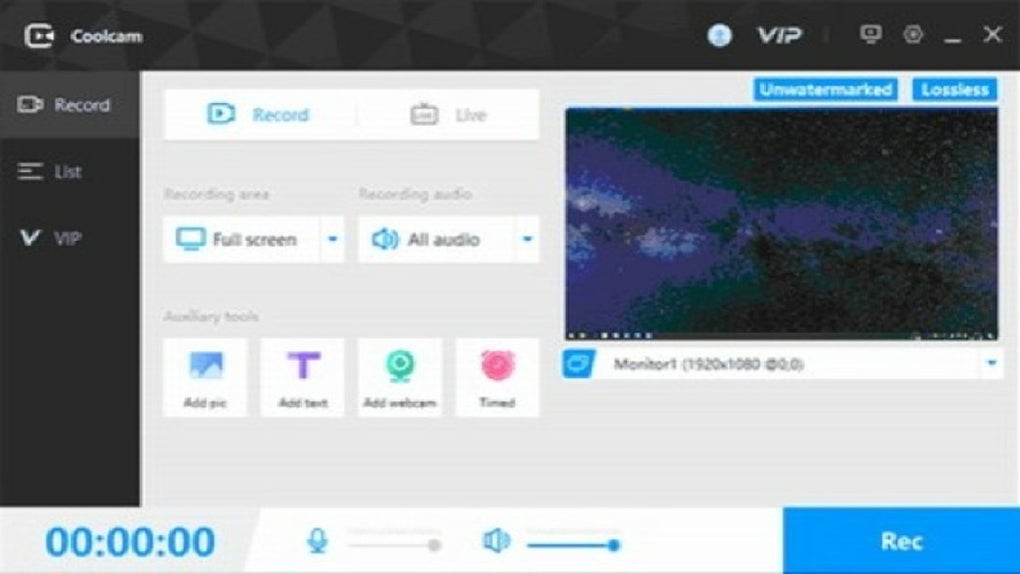
Getting started with Coolcam is straightforward and hassle-free. The installation process is quick, requiring just a few clicks to download and set up on your device. Available for both Windows and Mac, Coolcam ensures broad accessibility across different operating systems. After installation, users are greeted with a clean, minimalist interface that prioritizes usability without sacrificing functionality. The main dashboard displays essential recording controls—start, pause, stop—alongside quick access to settings, scheduled recordings, and recent captures.
Even if you're new to screen recording, Coolcam’s intuitive design makes it easy to navigate. The software automatically detects your screen resolution and audio devices, offering optimized default settings that work well out of the box. You can easily adjust recording areas—choose full-screen, custom region, or specific window capture—giving you full control over what gets recorded. The real-time preview window helps you confirm your selection before starting, reducing the risk of unwanted content. For users who prefer keyboard shortcuts, Coolcam supports customizable hotkeys, allowing you to start or stop recording with a single keypress.
Performance is another highlight. Coolcam runs efficiently in the background with minimal impact on system resources, ensuring your game runs smoothly even during recording. This is crucial for high-end gaming, where lag or frame drops can ruin the experience.
The software is also designed to be secure and free from ads or bundled malware—important considerations when downloading free tools. Whether you're using a gaming PC, a laptop, or a Mac workstation, Coolcam delivers consistent performance across devices. With its simple setup and reliable operation, Coolcam is a trusted choice for users seeking a seamless recording experience on Windows and Mac.
Pros, Cons, and Why Coolcam Stands Out in 2024
- Pro: Records in 4K UHD quality for crystal-clear gameplay footage
- Pro: Supports multi-source recording: screen, microphone, webcam, and system audio
- Pro: Built-in scheduler for automated recordings at set times
- Pro: Lightweight and low system resource usage
- Pro: Available for both Windows and Mac with a clean, intuitive interface
- Con: No built-in video editing tools—requires external software
- Con: Free version lacks advanced export options like watermark removal
- Con: Limited customer support compared to premium competitors
- Con: No native Android or iOS app for mobile recording
- Con: Occasional minor bugs in older Windows versions
Coolcam’s strengths lie in its focus on high-quality recording and automation. While it doesn’t include video editing features, its core functionality is top-tier, making it a reliable choice for recording, not post-production. The free version offers enough features for most casual users, but power users may want to explore premium upgrades for enhanced export flexibility. Compared to similar tools like OBS Studio or Camtasia, Coolcam is simpler to use and more accessible for beginners, though it lacks the depth of customization found in advanced editors.
What truly sets Coolcam apart is its combination of performance, ease of use, and automation. The ability to schedule recordings means you don’t have to stay up late to capture a live event. The 4K output quality is impressive for a free tool, and the minimal system impact ensures uninterrupted gaming. For content creators on a budget or those just starting out, Coolcam offers exceptional value. While it’s not perfect—especially in the editing and mobile space—it remains one of the best free screen recording solutions available in 2024.
Frequently Asked Questions (FAQ)
Is Coolcam free to download and use?
Yes, Coolcam is completely free to download and use. The basic version includes full access to screen recording, multi-source capture, and scheduling features. While there are premium upgrades available for advanced export options, the free version is robust enough for most users.
Can I record gameplay in 4K resolution with Coolcam?
Absolutely. Coolcam supports recording in 4K UHD resolution, delivering stunning clarity and detail for your gameplay videos. This makes it ideal for high-end gaming content, YouTube videos, and professional streaming.
Does Coolcam work on both Windows and Mac?
Yes, Coolcam is compatible with both Windows and Mac operating systems. It’s available for download on both platforms, ensuring broad accessibility for users across different devices.
Can I record my webcam and microphone at the same time as gameplay?
Yes, Coolcam allows you to record your screen, webcam, microphone, and system audio simultaneously. This feature is perfect for creating facecam-style gameplay videos with commentary and visual presence.
Is Coolcam safe to download and install?
Yes, Coolcam is secure and free from malware, ads, or bundled software. It’s developed by Aipai Network Technology Co. Ltd and distributed through trusted channels. Always download from the official website to ensure safety.
Conclusion: Why You Should Download Coolcam Today
If you're a gamer, content creator, or educator looking for a reliable, free screen recording tool, Coolcam is an excellent choice. With its 4K UHD recording quality, multi-source capture, automated scheduling, and lightweight performance, it delivers professional results without the complexity of advanced software. Whether you're capturing a winning moment in a competitive match or creating a tutorial video, Coolcam ensures your content looks sharp and polished.
While it doesn’t include built-in video editing, its core recording capabilities are unmatched for a free tool. The clean interface, cross-platform support, and secure download make it accessible and trustworthy. With regular updates and ongoing improvements, Coolcam continues to evolve to meet the needs of modern creators.
Ready to elevate your gaming content? Download Coolcam now and start recording your next masterpiece with confidence.







